

Synaptic releases Toolbox for the A220: install it before update 1.0.11
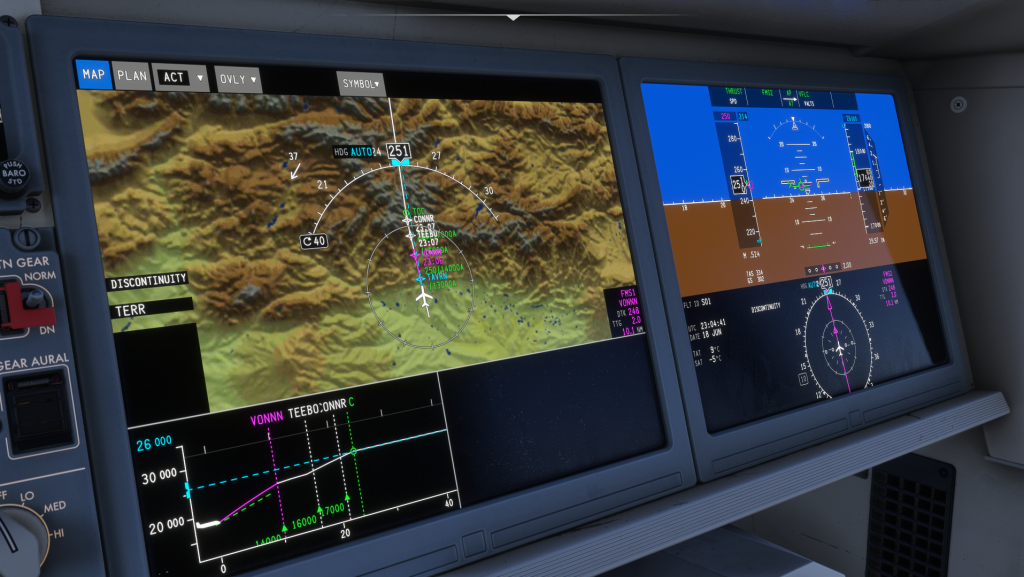
Synaptic Simulations has released Toolbox, a small companion app for its Airbus A220 in MSFS 2020 and 2024. It replaces the launcher previously installed through iniManager and now installs, updates and runs the aircraft’s external services. With the next A220 update, version 1.0.11, Toolbox becomes required, because the way terrain imagery is handled is changing.
Why a separate app? The terrain map on the A220’s navigation display is drawn by a separate program outside the sim. Toolbox now manages it and sits in the Windows notification area.
What’s inside:
- the terrain server starts automatically when you load the A220 and stops when you switch aircraft or close the sim;
- there’s a button to start and stop it manually;
- the standard terrain package (400) takes about 1.8 GB and is downloaded during installation;
- the high-resolution package (1200) takes about 12.8 GB and can be downloaded later;
- terrain uses integrated graphics if you have them, otherwise your main graphics card;
- external EFB support is promised in a later update.
The difference between 400 and 1200 mainly shows when the navigation display range is below 5 nm. So if disk space is tight, the standard package is plenty.
If you fly the A220, install Toolbox now, before 1.0.11 arrives. That way the aircraft will work with its terrain map straight after the update.
Source: Synaptic Simulations